Blog


» 5/25/2026: Clear Clutter: Prepare Point Clouds for Digital Twins


Raw point cloud data from a construction site is usually messy, bloated, and filled with "noise" like passing cars or swaying trees. If you feed raw data directly into your modeling software, your computer will slow down and create inaccurate models.

To build an accurate digital twin, you must clean your data first. Here is how VRMesh solves the two biggest headaches in point cloud pre-processing.


Challenge 1: The "Stripe" Problem (Uneven Point Density)

LiDAR scanners shoot millions of points along tight lines. This creates packed "stripes" of data, while the gaps between the lines remain wide.

  • The Issue: Computers waste 90% of their processing power chewing through these crowded areas without adding new detail.


The VRMesh Fix: Smart Subsampling

Subsampling thins out the data so it is lightweight but still accurate.

  1. Remove Redundant Points (Distance-Based): VRMesh calculates and displays the Average Distance between points as a reference guide. You then enter your preferred Minimum Distance threshold. If any two points are closer than this value, VRMesh deletes one, perfectly preserving the scene's shape.

  2. Fast Random Subsampling: For ultra-fast results on massive files, VRMesh can instantly extract a random, lightweight mix of points from the indexed file. This works perfectly if your raw density is much higher than your project needs.

Detect lines


Challenge 2: Data Noise (The Clutter)

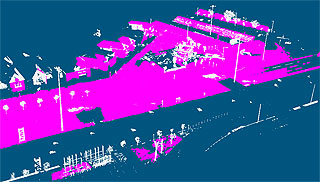
Scanners capture everything, including moving cars, pedestrians, and unwanted background trees. Cleaning this manually takes hours.


The VRMesh Fix: Automated "Detect Surface Points"

Cleaning this up manually used to take hours. With the Detect Surface Points command in VRMesh, the software does the heavy lifting for you.

It instantly detects and removes sensor glitches. Even better, it separates structured objects (like concrete walls and flat ground) from complex, unstructured objects (like trees). By grouping these elements automatically, you can wipe out unwanted clutter with a single click.

Detect lines


The Bottom Line

Better data prep leads to better digital twins. By using VRMesh to fix point density and clear out noise, you will save hours of computer processing time and build highly reliable 3D models.


Watch Video


  PRODUCTS
VRMesh AI
VRMesh Studio
VRMesh Reverse
VRMesh Survey
VRMesh Library
INDUSTRIES
Physical AI
Construction
Mining
Energy/Utilities
Land Surveying
LEARN MORE
YouTube Videos
Download Demo
Order Online
Blog
SUPPORT
FAQs
System Spec
Contact Us
 
©2026 VirtualGrid. All rights reserved. | Privacy Policy